Two different questions are often mixed together
When users search for “Bio-Well software”, they may mean at least three things: the official application required for the Bio-Well device, a way to review existing Bio-Well measurements, or an additional research environment for analysing the captured images in a different way.
Those needs are not identical. The official Bio-Well software is the manufacturer's working ecosystem. GDV Studio is an independent PICALLW application. It should therefore be evaluated as an additional analysis path, not presented as official Bio-Well software.
What the current official Bio-Well software provides
According to Bio-Well's current official pages, its software is used to capture and interpret Bio-Well images, maintain client history and generate reports. The manufacturer currently sells software access through subscription plans and states that an active subscription is required to operate the device.
The official product pages also describe client databases, before/after comparison, visual mapping, 24-page reports and cloud backup. The exact feature set can change, so users should verify current information directly with Bio-Well.
Why official software remains the reference workflow
The manufacturer's software has an obvious advantage: it defines the official acquisition and interpretation workflow for the device. Users who need standard training, manufacturer documentation, official report formats and the supported ecosystem should keep that workflow in view.
An independent application should not pretend to replace manufacturer support. Its value is strongest when it offers a different analytical perspective or data-handling model.
What “independent GDV analysis” means
Independent analysis starts from the measurement rather than from the final interpretation. A researcher may want to inspect image quality, compare repeated captures, calculate morphology descriptors, preserve a personal baseline or study change over time with the same algorithm version.
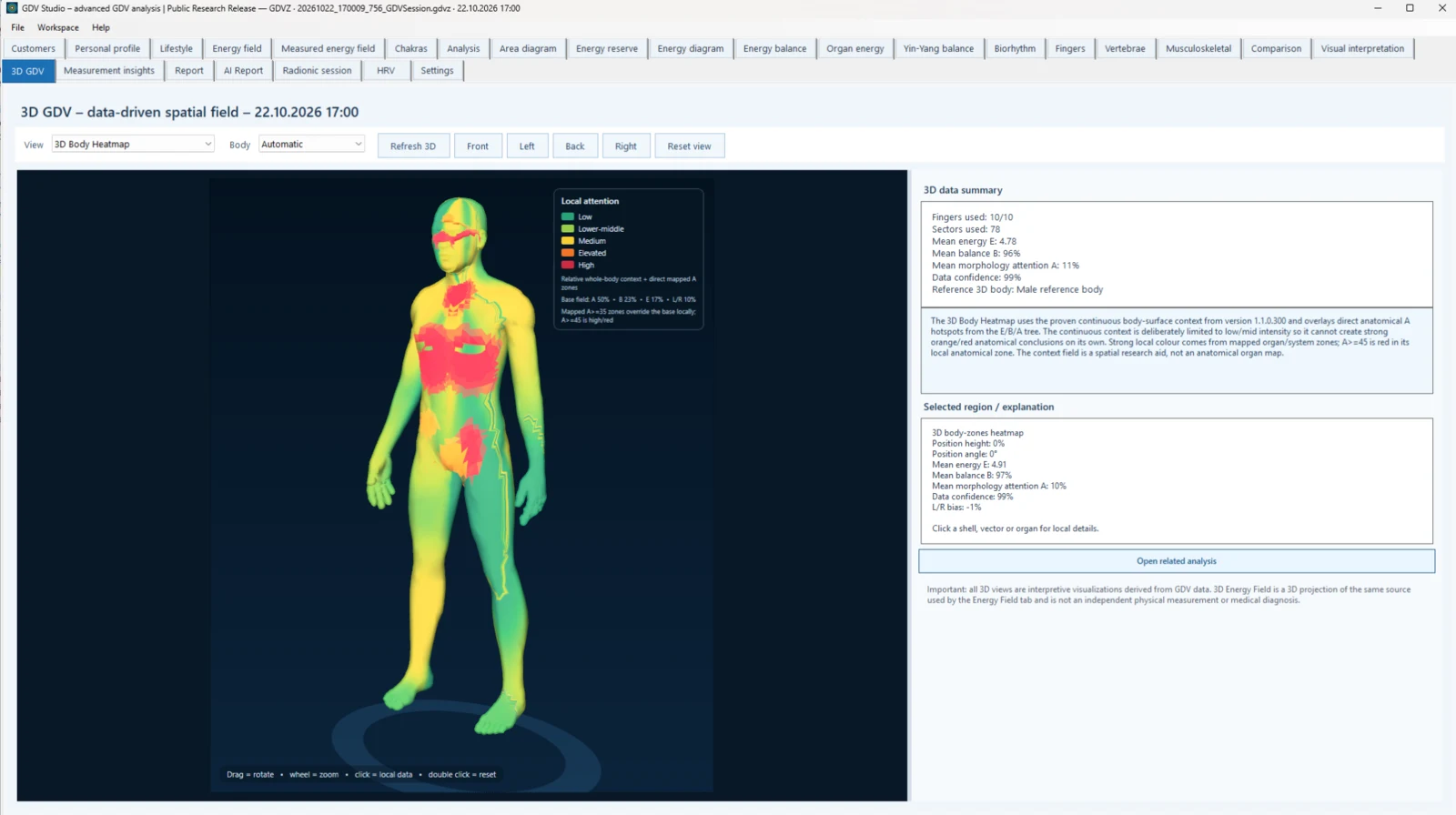
GDV Studio is built around that idea. It treats the corona image as an image signal first, then keeps quality, morphology, sector mapping and interpretation as separate layers.
Local-first is a different data model
GDV Studio's core workflow is local-first: client records, measurements and reports remain on the user's computer by default. External AI services are optional and are used only when the user enables them.
This does not automatically solve every privacy or GDPR requirement. A practitioner still needs an appropriate legal basis, retention policy, backups and access controls. But local-first architecture gives the operator more direct control over where the primary dataset resides.
Bio-Well 2.0 and Bio-Well 3.0 compatibility
GDV Studio currently supports direct capture with both Bio-Well 2.0 and Bio-Well 3.0 cameras. It can also open original Bio-Well BDF measurements for local review. This is a PICALLW compatibility statement; it does not mean GDV Studio is produced, certified or endorsed by Bio-Well.
For current official Bio-Well hardware and software requirements, the manufacturer's own documentation remains authoritative.
Why original BDF measurements matter
A final PDF report is useful for communication, but it is not the same thing as the source measurement. Research questions often appear later: Was the image centred? Was a local gap repeated? Did the same feature appear across three captures? Did software updates change a calculated metric?
Keeping the original measurement makes re-analysis possible. A transparent workflow should preserve the source and store derived results separately.
Image morphology adds another layer
Two corona images can have a similar global area but different structure. One may be smooth and continuous, another may show local thinning, fragmentation, roughness, satellites or long streamers. Morphology therefore describes the image in ways a single summary number cannot.
GDV Studio uses features such as continuity, radial thickness, intensity distribution, edge roughness, asymmetry, gaps and texture as image descriptors. Their biological meaning should be studied separately rather than assumed from the visual appearance.
Repeatability before interpretation
A single unusual capture is difficult to interpret. Repeated technically valid captures are more informative. Research software should make it easy to ask whether a pattern persists, disappears immediately or changes under a defined protocol.
This is also where calibration, capture conditions and a personal baseline become important. Longitudinal comparison is strongest when time of day, environment, preparation and acquisition procedure are reasonably controlled.
What the research literature says
A 2023 systematic review of GDV applications included 42 human studies, including eight randomized controlled trials, and concluded that more robust methodology is needed before definitive conclusions can be made. Earlier reviews and imaging papers describe potential applications, but the field still needs stronger independent validation and standardisation.
This is exactly why software should distinguish measurement from interpretation. A visually impressive map is not equivalent to a validated clinical diagnosis.
When the official Bio-Well workflow may be the better fit
- You want the manufacturer's standard operating environment and training.
- You need official Bio-Well reports and supported interpretation workflow.
- You prefer the vendor's integrated account, database and cloud features.
- You want support responsibility to remain within one official ecosystem.
When an independent local analysis environment may add value
- You want to inspect original images and BDF data locally.
- You are studying morphology rather than only final summary metrics.
- You need repeated-measurement and personal-baseline analysis.
- You want to keep the primary client dataset local by default.
- You are combining GDV with separate HRV/ECG research signals.
- You want to preserve the distinction between measured, calculated and interpreted layers.
They can be complementary
The choice does not have to be binary. A user may rely on the official Bio-Well environment for the manufacturer's workflow and use GDV Studio as an additional local analysis and research environment. The correct setup depends on licensing, data governance, study design and the exact questions being asked.
Questions to ask before choosing a workflow
| Question | Why it matters |
|---|---|
| Do I need the official manufacturer workflow? | Training, support and official reports may make this essential. |
| Where is my primary dataset stored? | Local vs cloud storage changes privacy, backup and access responsibilities. |
| Can I return to the original measurement? | Source data is important for reproducibility and later re-analysis. |
| Can I compare repeated captures with the same method? | Repeatability is more informative than a single unusual result. |
| Does the software separate image features from interpretation? | This reduces the risk of treating a model or atlas as a direct organ measurement. |
| Can I export data for research? | Open, documented export supports independent analysis and audit. |
FAQ
Is GDV Studio official Bio-Well software?
No. GDV Studio is independently developed by PICALLW and is not affiliated with Bio-Well.
Does GDV Studio work with Bio-Well 3.0?
Yes. Direct capture is supported with Bio-Well 3.0 as well as Bio-Well 2.0.
Does Bio-Well currently require a software subscription?
Bio-Well's current official product and FAQ pages describe subscription plans and state that software access is required to operate the device. Always verify current terms directly with the manufacturer because commercial plans can change.
Is GDV a validated medical diagnostic method?
No definitive clinical claim should be made from this software. Systematic reviews describe a body of research but also emphasise the need for more robust validation. GDV Studio is positioned as research, biofeedback and informational software, not a medical diagnostic system.
Sources and further reading
- Bio-Well official FAQ – software and subscription
- Bio-Well software subscription – official product page
- Bio-Well 3.0 – official product page
- Applications of Gas Discharge Visualization Imaging in Health and Disease: systematic review
- Gas discharge visualization: an imaging and modeling tool for medical biometrics
- PICALLW GDV Studio