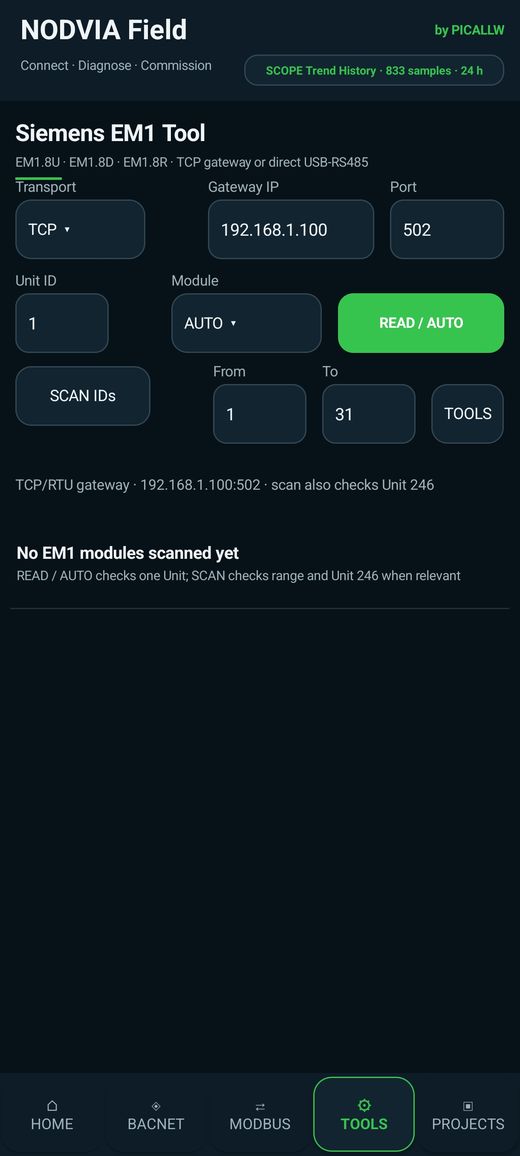
Fewer tools
A large share of field diagnostics in one application.
The Swiss Army knife for building automation engineers.
NODVIA Field is an Android building automation app for field work with BACnet, Modbus, KNX and M-Bus, with Siemens Climatix SCOPE tools plus S7, OPC UA and MQTT support. It is built for system integrators, service technicians, commissioning engineers and maintenance teams, combining protocol diagnostics, network discovery, specialized Siemens tools, projects, trends, converters and reports in one practical environment.
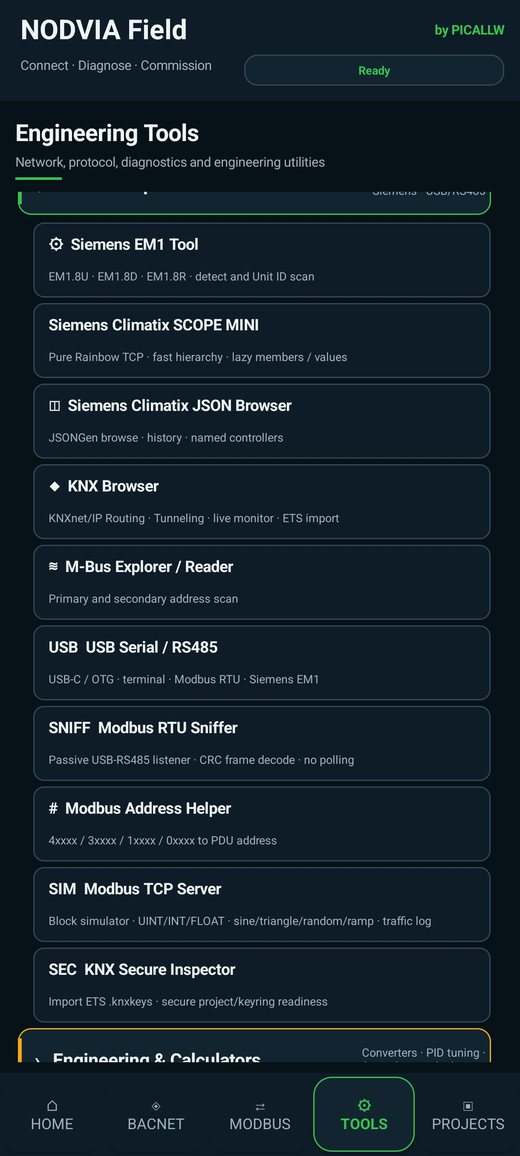
Climatix SCOPE MINI, S7, OPC UA, MQTT, EM1 Tool, KNX tools, M-Bus, Modbus utilities and other device-focused service tools.
Field is not an isolated app. It is the first public and most practical product in the wider NODVIA concept. When a project grows beyond field diagnostics, the HMI path continues through NODVIA Studio, PICALLW Cloud and the standalone NODVIA View runtime.
A practical look at NODVIA Field on Android: field diagnostics, protocol tools and the workflow behind a multi-protocol building automation toolkit.
The video complements the technical sections below and gives a faster overview of how NODVIA Field brings BACnet, Modbus, KNX, M-Bus, Siemens Climatix SCOPE, S7, OPC UA and MQTT tools into one mobile engineering environment.
Watch on YouTube →Is the device on the network? Which address does it use? Is the register correct? What is happening with the object? Did the KNX telegram arrive? What does the Climatix trend history show? NODVIA Field is built around these practical questions.
Instead of opening a different utility for every task, the user follows one mobile workflow: connect first, diagnose second, commission third. When full manufacturer engineering software is required, NODVIA Field does not pretend otherwise—its job is to get the engineer to the correct diagnosis and next step faster.
A large share of field diagnostics in one application.
Discovery, data and protocol context in one place.
Projects, favorites, cache and service context remain organized.
Export and send results directly from the mobile workflow.
Three words describe how NODVIA Field is designed to be used on site.
First determine what is on the network and how to reach it.
Once a device is reachable, inspect the data and communication state.
Perform supported service actions and retain a trace of the work.
The active Field project can still contain a visualization designed in NODVIA Studio. This is useful for commissioning and testing bindings, schedules, trends and layout directly in the field.
For standalone operator deployment, the target workflow is now Studio → PICALLW Cloud → NODVIA View. Field Project Visualization remains the engineering preview while View is the dedicated HMI runtime.
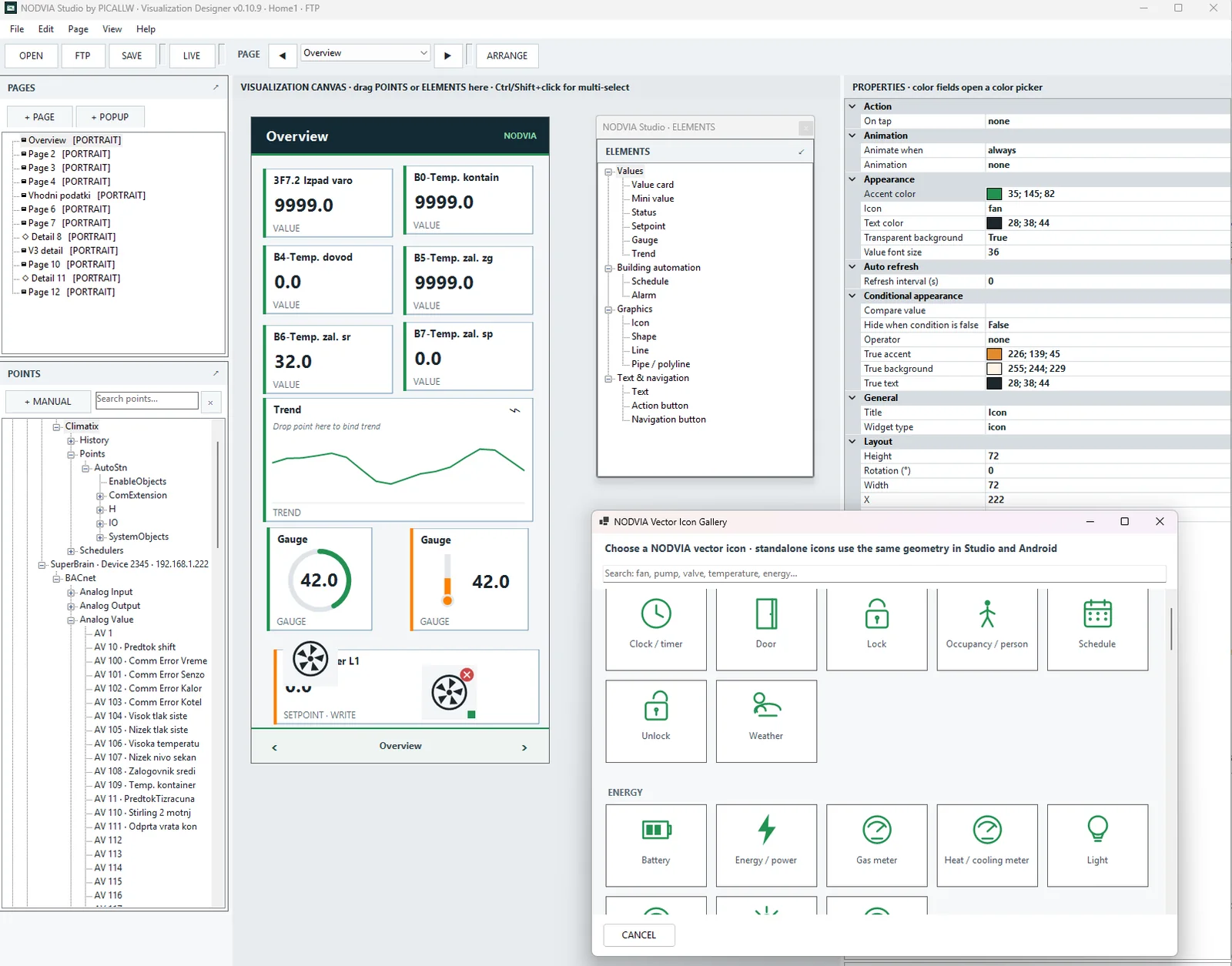
Design in Studio. Test in Field. Deploy to View.
Field remains the engineering preview; NODVIA View is the dedicated deployed Android runtime.
NODVIA Field combines standard protocols with concrete service tools. The goal is not just to read a packet, but to present information in a form useful for the actual device.
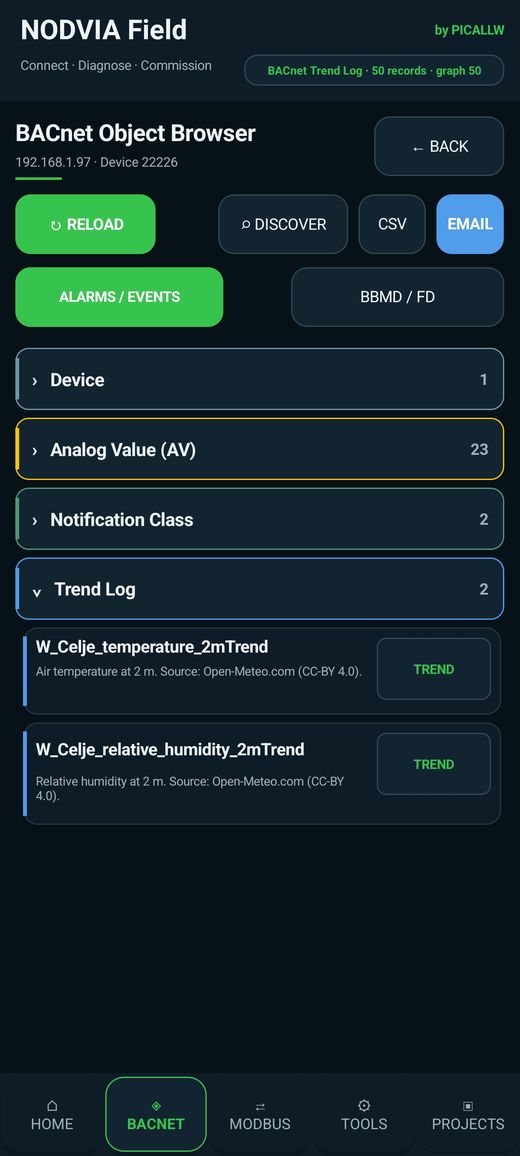
Who-Is, direct device access, objects and properties, favorites, trends, schedules, reading and supported value writing.
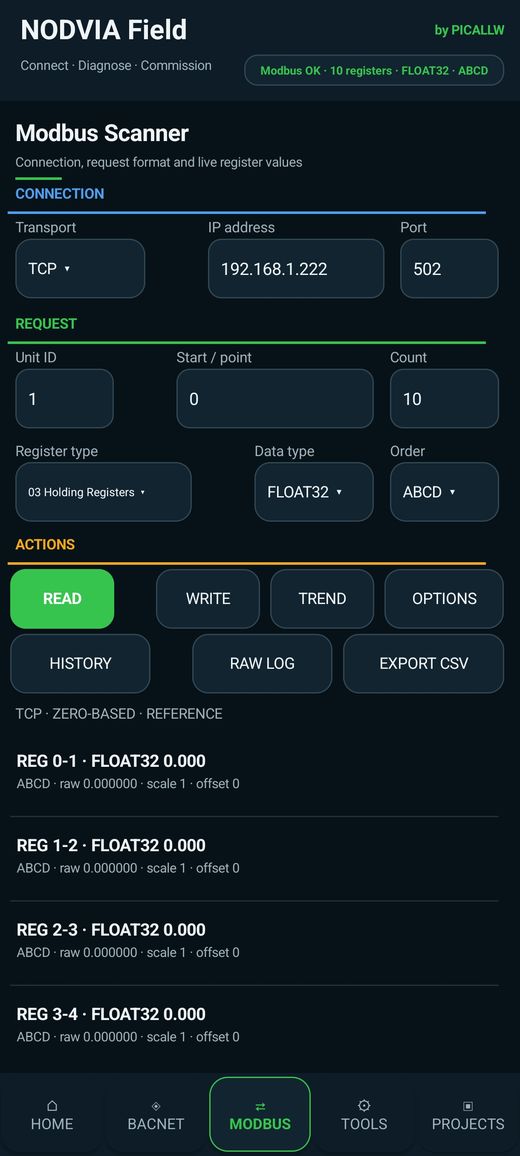
View screen →Scanner, Unit ID, register browser, one-based/zero-based addressing, multiple data formats and byte/word order, trends and writing.
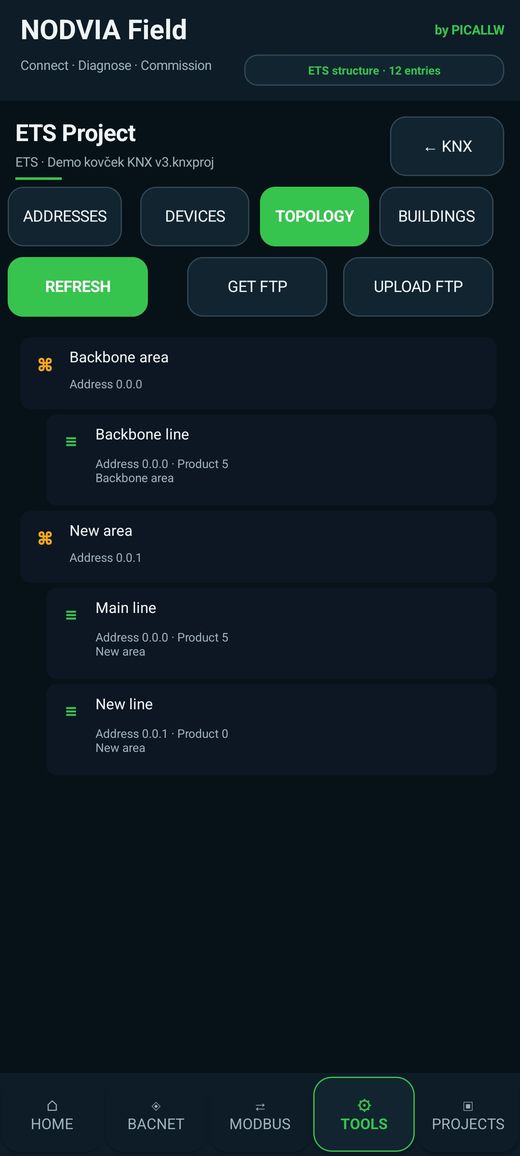
View screen →ETS project, topology, group addresses, routing/tunneling, monitor, reading, writing, favorites and additional secure diagnostics.
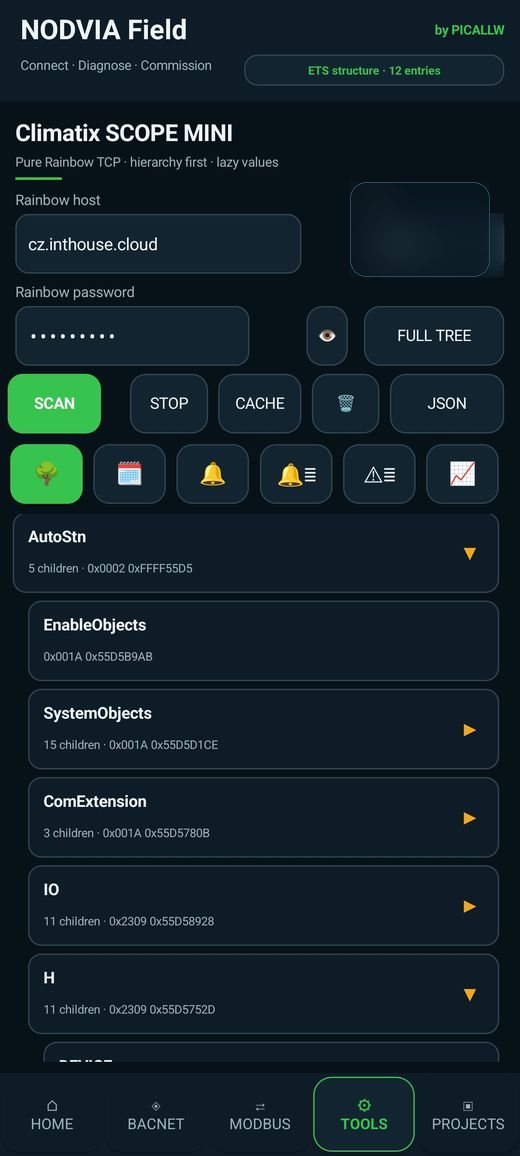
View screen →A mobile Climatix service view: object hierarchy, lazy-loaded values, schedules and trend history. The SCOPE tree/cache is isolated by project.
Dedicated discovery of EM1 Modbus I/O modules, I/O inspection and supported communication setup without manually guessing register maps.
M-Bus explorer/reader plus USB serial connectivity for meters and RS-485 field devices.
mDNS, LAN/Deep Scan, BACnet Who-Is, KNXnet/IP Search, IP inspection, ping and Wi-Fi analysis in one discovery layer.
View screen →An integrated local web view for devices that expose their own service interface, useful for orientation and full-screen field work.
P/PI/PID explanations and tuning assistance, register/time conversion, three-phase calculations and other small field utilities.
View screen →NODVIA Field is more than a momentary browser. Projects retain context, can be shared with other team members through an FTP-based workflow, and can produce results for reporting.
The active project separates devices, history and supported cache data. Climatix SCOPE tree/cache is also isolated by project so data does not bleed between sites.
Projects can be stored on a configured FTP server and retrieved on another phone, enabling a simple team workflow without requiring a public cloud service.
Supported views and exports can be prepared as reports and sent directly by e-mail/SMTP, shortening the path from field observation to colleague or documentation.
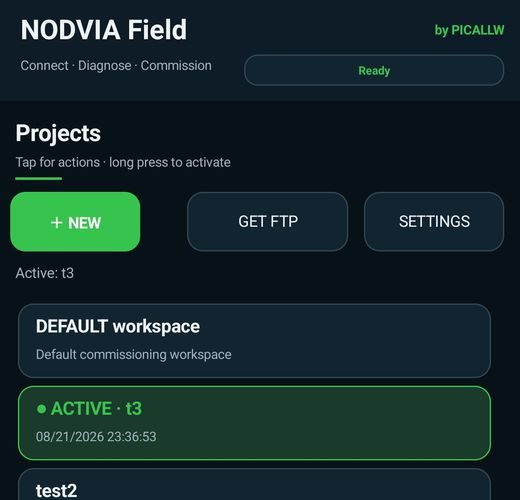
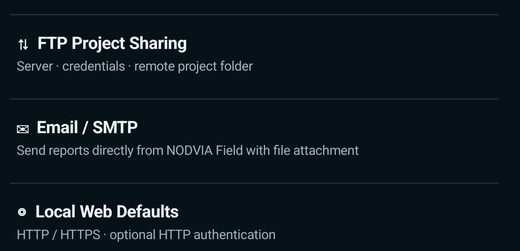
Project workflow, FTP sharing and e-mail reporting.
The split is intentionally simple. FREE is for evaluating the app and basic diagnostics; PRO is for users who need writing, specialized tools and an advanced field workflow.
The feature set continues to evolve with NODVIA Field; the current build is always published on the download page.
Small PICALLW browser tools are available for basic field calculations and secondary verification.
The technical articles connect NODVIA Field with real devices, service workflows and project visualization.
What a practical Android commissioning app should do beyond protocol logos: discovery, addressing, diagnostics, safe writes, trends, reports and reusable project data.
Read the field-app guide →BACNET FIELD GUIDE43 practical problems: discovery, BBMD, MS/TP, Device IDs, routing, APDU, COV, Wireshark and BACnet/SC.
Read the field guide →SIEMENS EM1A technical overview of EM1.8D, EM1.8R and EM1.8U, Modbus addressing, commissioning steps and the value of a dedicated EM1 Tool.
Read article →SIEMENS CLIMATIXWhat Climatix is, what the official Siemens SCOPE provides, and where the boundary and practical advantage of Android SCOPE MINI sit.
Read article →NODVIA HMIHow BACnet and Climatix project points become a graphical HMI that can be run directly on Android.
Read article →Current releases and packages are available on the central PICALLW download page.